
Most year-end recaps show what you consumed—music, photos, watch time. Raycast Wrapped shows how you worked.
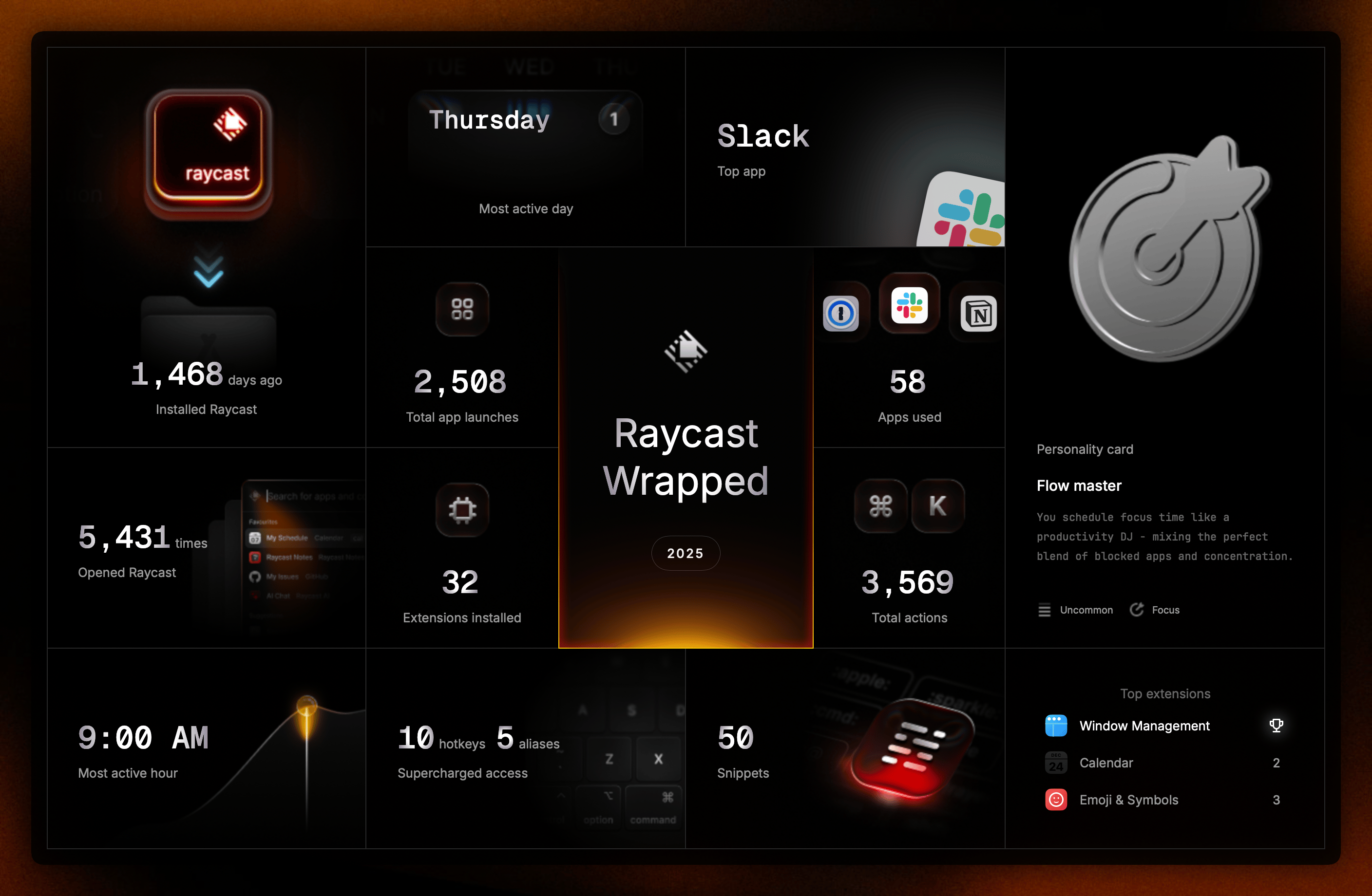
I’ve been using Raycast for four years now. I can’t imagine using a computer without it. I opened it 5,431 times in 2025—that’s about 15 times per day. Every single day.
It’s been game-changing for me, and I think it would be for a lot of others who haven’t tried it yet. If you’re not using a tool like this, you’re probably not getting the most out of your machine.
This isn’t a guide. It’s not a pitch. I’m not going to do a deep-dive on any one feature—maybe I’ll save that for another article. I’m just reflecting on how I worked this year and sharing a tool I genuinely love. If it’s useful to someone else, great.
In a perfect world, I’d do this every year to measure change over time. Wish I had before. Starting now.
2025 at a Glance
I took 3,569 actions across extensions this year—averaging around 10 per day. Here’s the full picture:
| Metric | Total | Daily Average |
|---|---|---|
| Raycast Opens | 5,431 | ~15 times/day |
| Total Actions | 3,569 | ~10 actions/day |
| Apps Launched | 2,508 | ~7 apps/day |
| Apps Used | 58 | — |
| Extensions Installed | 32 | — |
| Hotkeys & Aliases | 15 (10 hotkeys, 5 aliases) | — |
| Snippets Created | 50 | — |
| Using Raycast Since | 1,468 days ago (4+ years) | — |
What is Raycast?
Raycast is a command launcher. Think of your default search bar—whether that’s Spotlight on Mac or the Windows search—but supercharged.
Hit the hotkey, type what you want, and things happen instantly:
- Open apps — Type “Slack” to launch it
- Manage windows — Type “left” to snap your browser to the left half of your screen
- Find files — Search for that document from last week by name
- Access clipboard history — Paste something you copied an hour ago
The real power is in the details:
- Snippets — Type shortcuts that expand into your email address, phone number, home address, meeting links
- Hotkeys — I’ve set up 10 custom keyboard shortcuts for instant access to my most-used commands
- Aliases — 5 text shortcuts in Raycast to trigger commands faster
- Quicklinks — Parameterized URLs for instant web searches and navigation
- Quick calculations — No need to open a calculator
- Window management — Organize your workspace without touching your mouse
- Extensions — Everything from currency conversion to weather checks
It’s extensible in ways that compound over time. It’s muscle memory at this point.
They released a Windows version this year, so it’s no longer just a Mac tool.
How I Use It
My top extensions tell the story. Window Management leads at 1,924 opens—that’s about 5 times a day, constantly reorganizing windows as I work.
| Extension | Opens | Daily Average | What I Use It For |
|---|---|---|---|
| Window Management | 1,924 | ~5/day | Snapping windows into place |
| Calendar | 511 | ~1.4/day | Checking my schedule |
| Emoji & Symbols | 296 | ~0.8/day | Faster than native picker |
| System | 131 | ~0.4/day | System controls |
| Clipboard History | 106 | ~0.3/day | Pasting things I copied earlier |
| Snippets | 102 | ~0.3/day | Text shortcuts |
| Screenshots | 100 | ~0.3/day | Quick screen captures |
| Raycast Notes | 92 | ~0.3/day | Quick note jotting |
| Raycast Focus | 71 | ~0.2/day | Deep work sessions |
| Raycast AI | 32 | ~0.1/day | Quick AI queries |
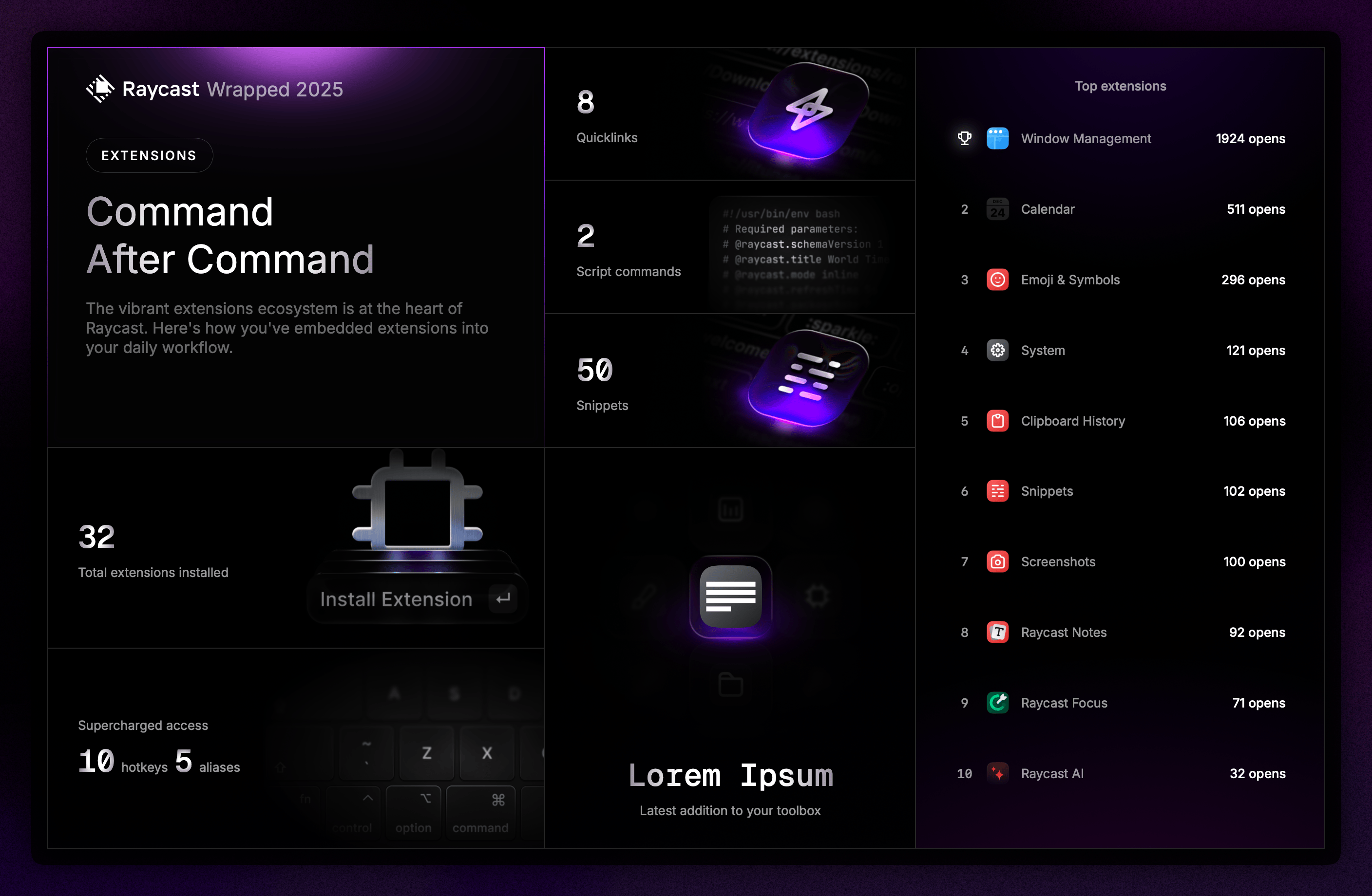 My most-used Raycast extensions in 2025
I also launched 2,508 apps through Raycast this year. Here’s what I opened most:
| App | Launches | % of Total | Daily Avg |
|---|---|---|---|
| Slack | 352 | 14.0% | ~1.0/day |
| Notion | 281 | 11.2% | ~0.8/day |
| 1Password | 248 | 9.9% | ~0.7/day |
| 233 | 9.3% | ~0.6/day | |
| Messages | 177 | 7.1% | ~0.5/day |
| Figma | 167 | 6.7% | ~0.5/day |
| ChatGPT | 115 | 4.6% | ~0.3/day |
| Calendar | 106 | 4.2% | ~0.3/day |
| Claude | 89 | 3.5% | ~0.2/day |
| Warp | 76 | 3.0% | ~0.2/day |
Note: These numbers only reflect launches via Raycast, not total app usage. I open most of these apps through other methods too—dock, Cmd+Tab, clicking, etc.
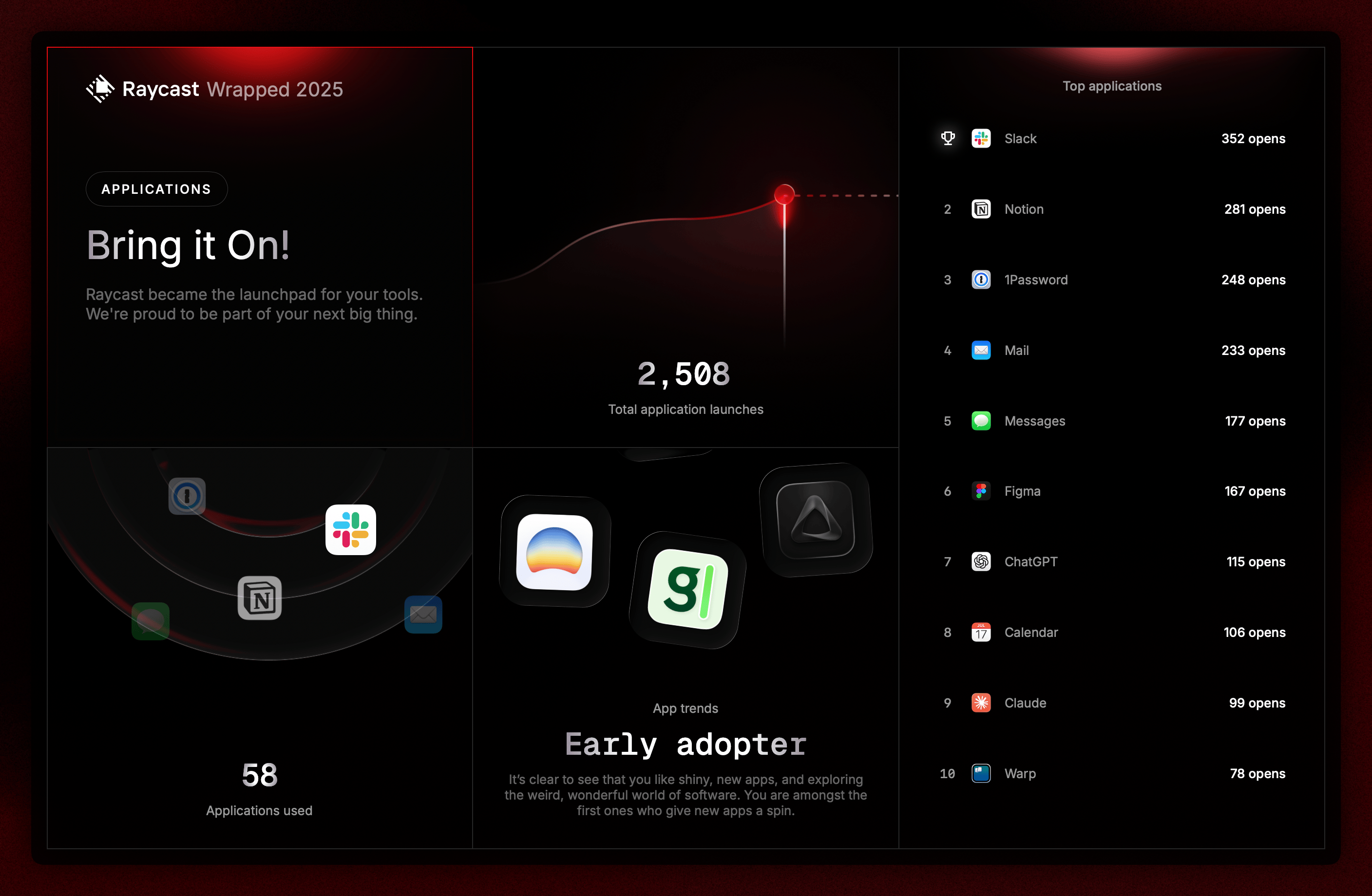 Apps I launched most through Raycast
Raycast gave me an “Early adopter” badge for trying new apps. Fair assessment—I like exploring shiny new software.
This year’s experiments included Dia (AI browser), Granola (meeting notetaker), and SuperWhisper (voice-to-text). Not all stick, but I’m always curious about what’s next.
This Year’s Level-Up: Focus Mode
The feature that changed things for me this year was Raycast Focus.
I started using it mid-year for deep work and time blocking. It blocks distracting apps and lets me carve out protected time. Here’s how it shaped my year:
| Focus Metric | Value |
|---|---|
| Total Sessions | 51 |
| Total Time | 38h 52m (~39 hours) |
| Average Session | ~46 minutes |
| Distractions Blocked | 35 |
| Most Focused Month | August (14 days) |
It’s now part of my time blocking stack. Wish I’d tried it sooner.
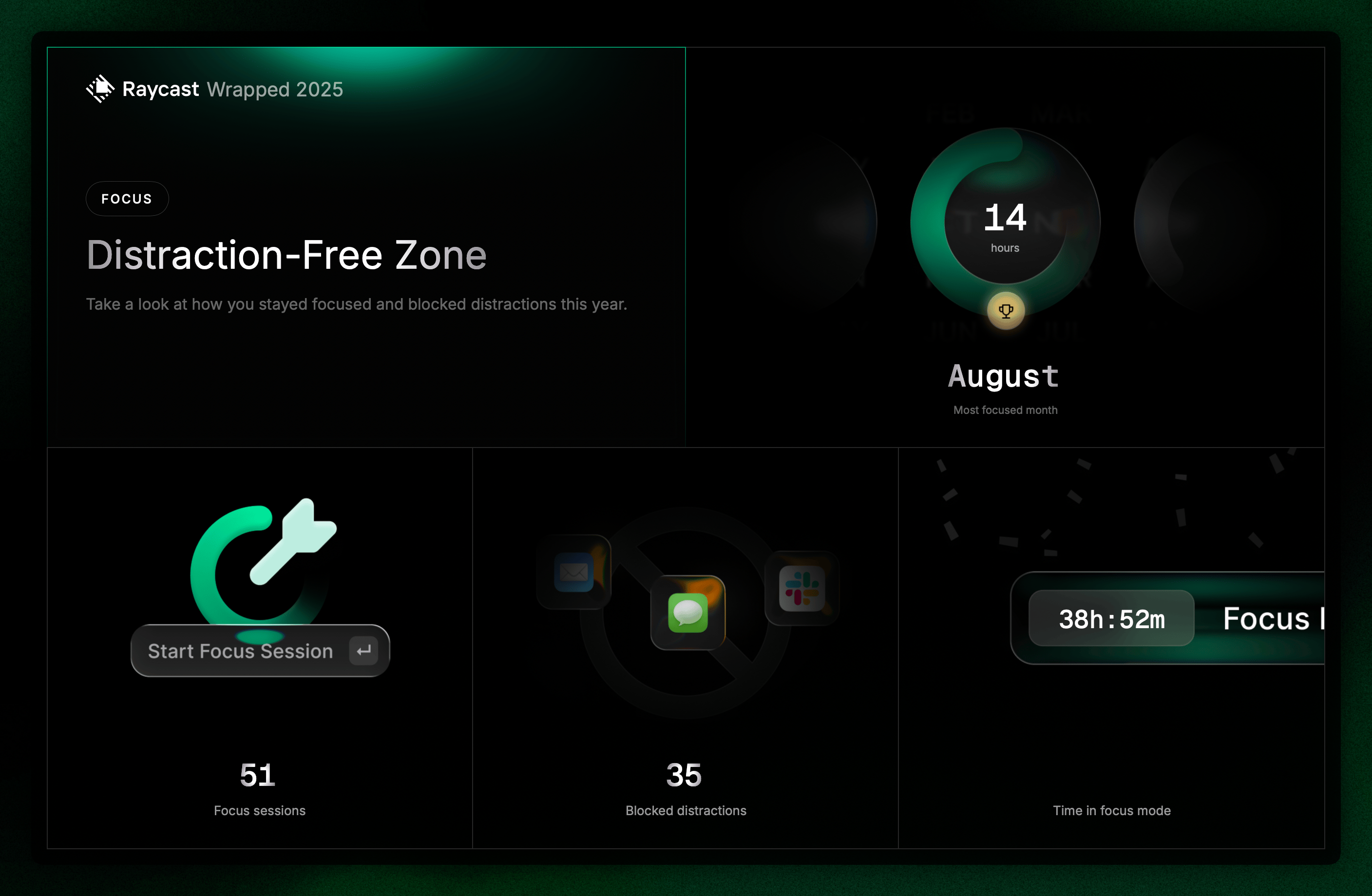 My Raycast Focus usage for deep work and time blocking
The Rest of the Picture
A few other stats worth noting:
Video calls: 981 total calls this year—that’s about 3 calls per day on average. 26 days, 17 hours, and 33 minutes spent in meetings. Google Meet dominated at 95%.
| Calendar Metric | Value |
|---|---|
| Total Video Calls | 981 (~3/day) |
| Time on Calls | 26 days, 17 hours, 33 minutes |
| Total Participants | 237 |
| Primary Platform | Google Meet (95%) |
| Other Platforms | Zoom (3%), Teams (1%), Other (1%) |
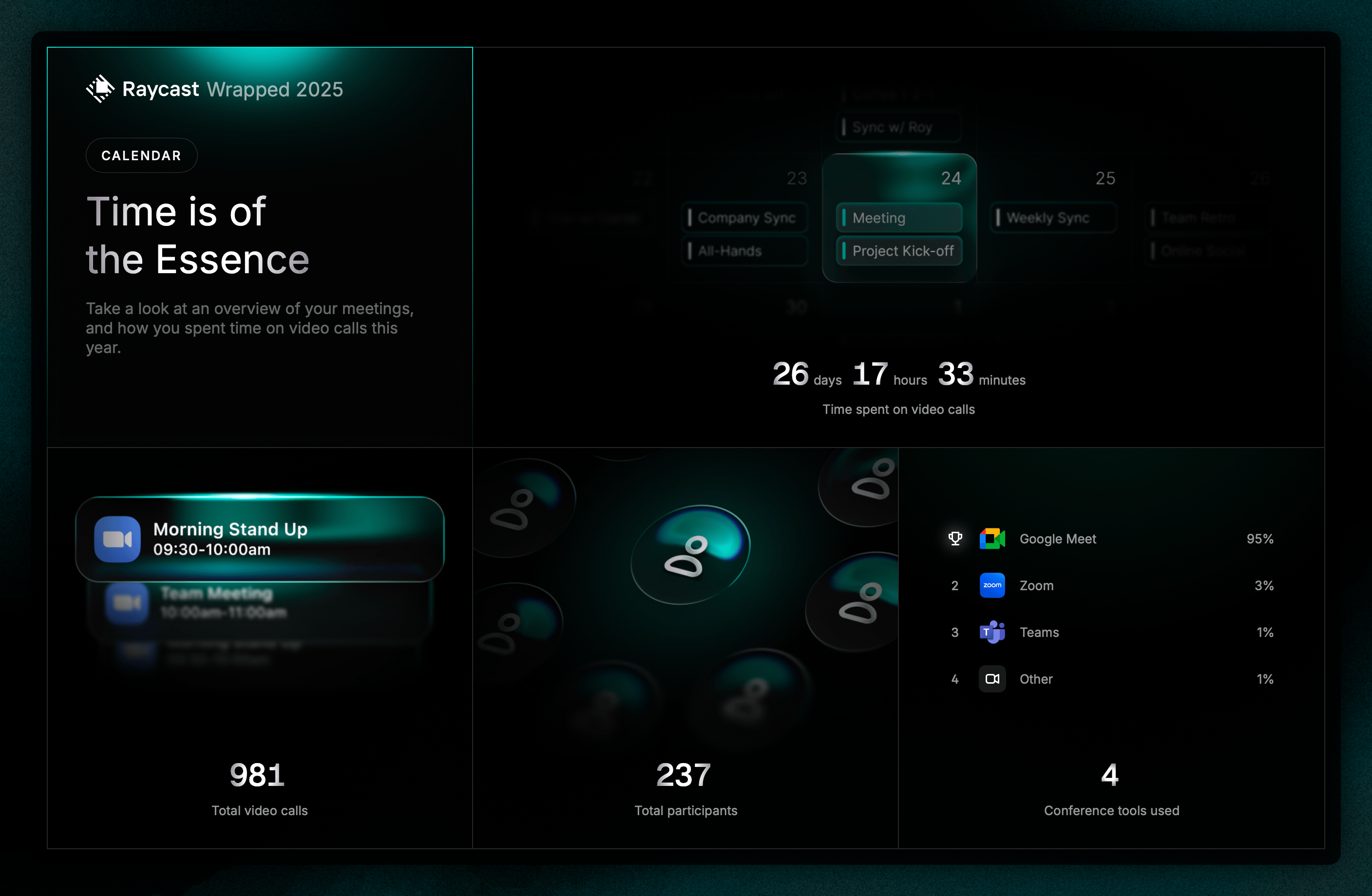 My 2025 meeting stats from Raycast
Usage patterns: I opened Raycast 5,431 times—about 15 times a day. Thursdays are my most active day. 9 AM is my peak hour.
| Usage Pattern | Detail |
|---|---|
| Total Opens | 5,431 |
| Daily Average | ~15 opens/day |
| Most Active Day | Thursday |
| Peak Hour | 9:00 AM |
| Been Using Since | 1,468 days ago (4+ years) |
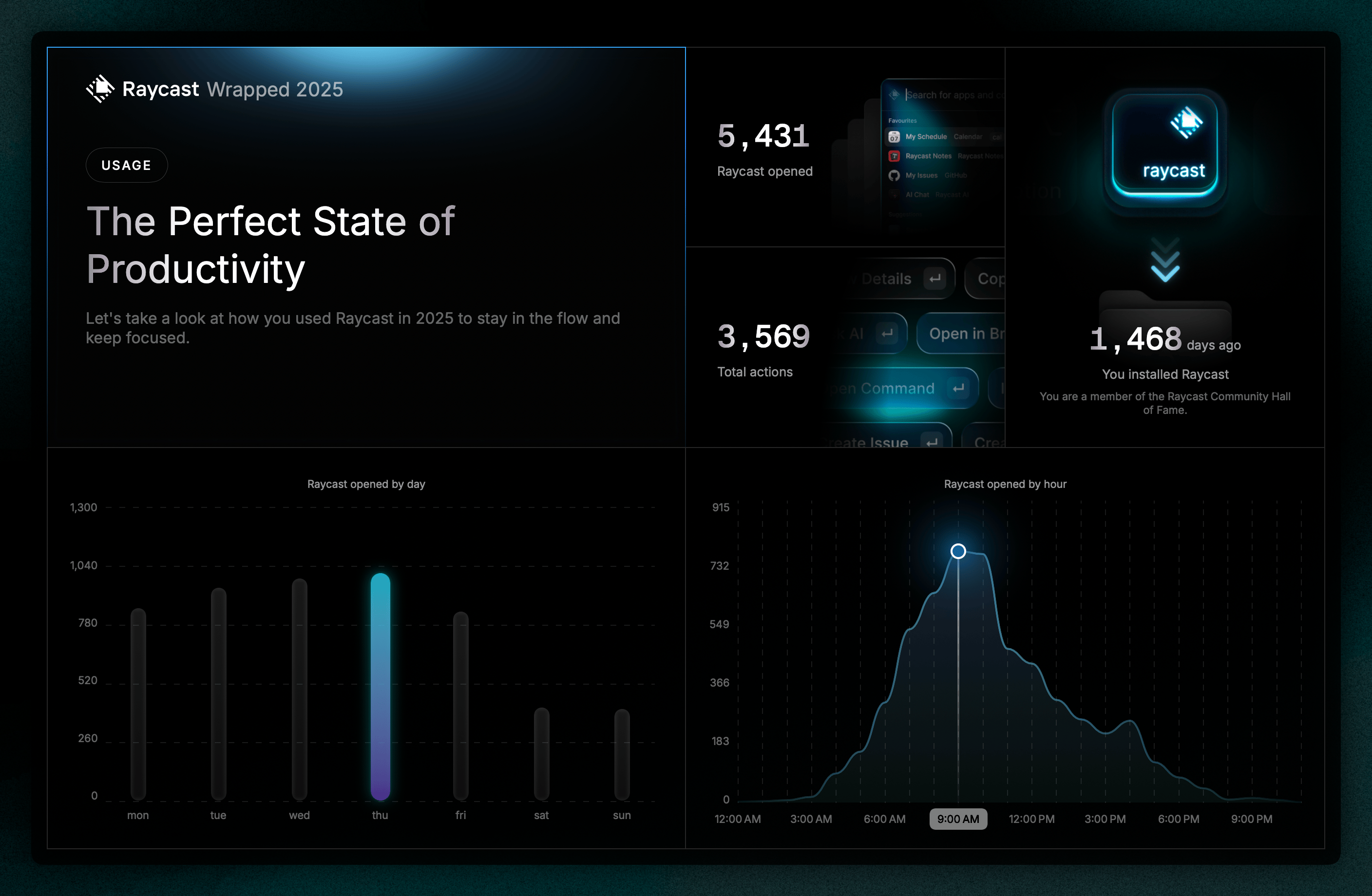 When I use Raycast most
The Personality Card
Raycast gave me a “Flow Master” badge. Neat idea from the team.
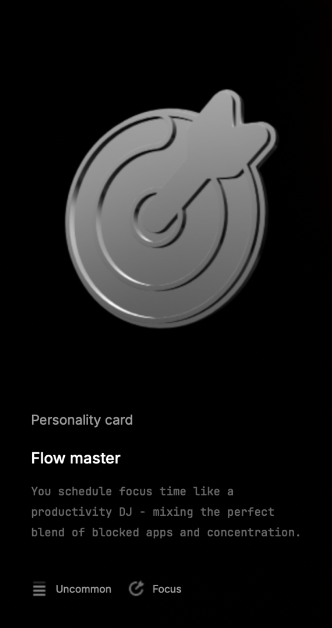 My Raycast personality type: Flow Master
The title is fun, but the description feels a bit generic. I’d love to see this expanded—maybe an LLM-powered summary that’s more personal and contextual. There’s potential here.
What’s Next
Four years in and I’m still discovering new ways Raycast improves my workflow. Here’s what I want to explore:
- Organization setup — I’ve created one for my agency but barely scratched the surface
- Windows support — Now available, could really empower the team
- Custom scripts — Build automation for personal workflows
- Team extensions — Create shared productivity tools for the agency
- Upgrade to Pro — I’ve been on the free tier this whole time, but I’ll likely upgrade in 2026 to unlock AI features and advanced capabilities
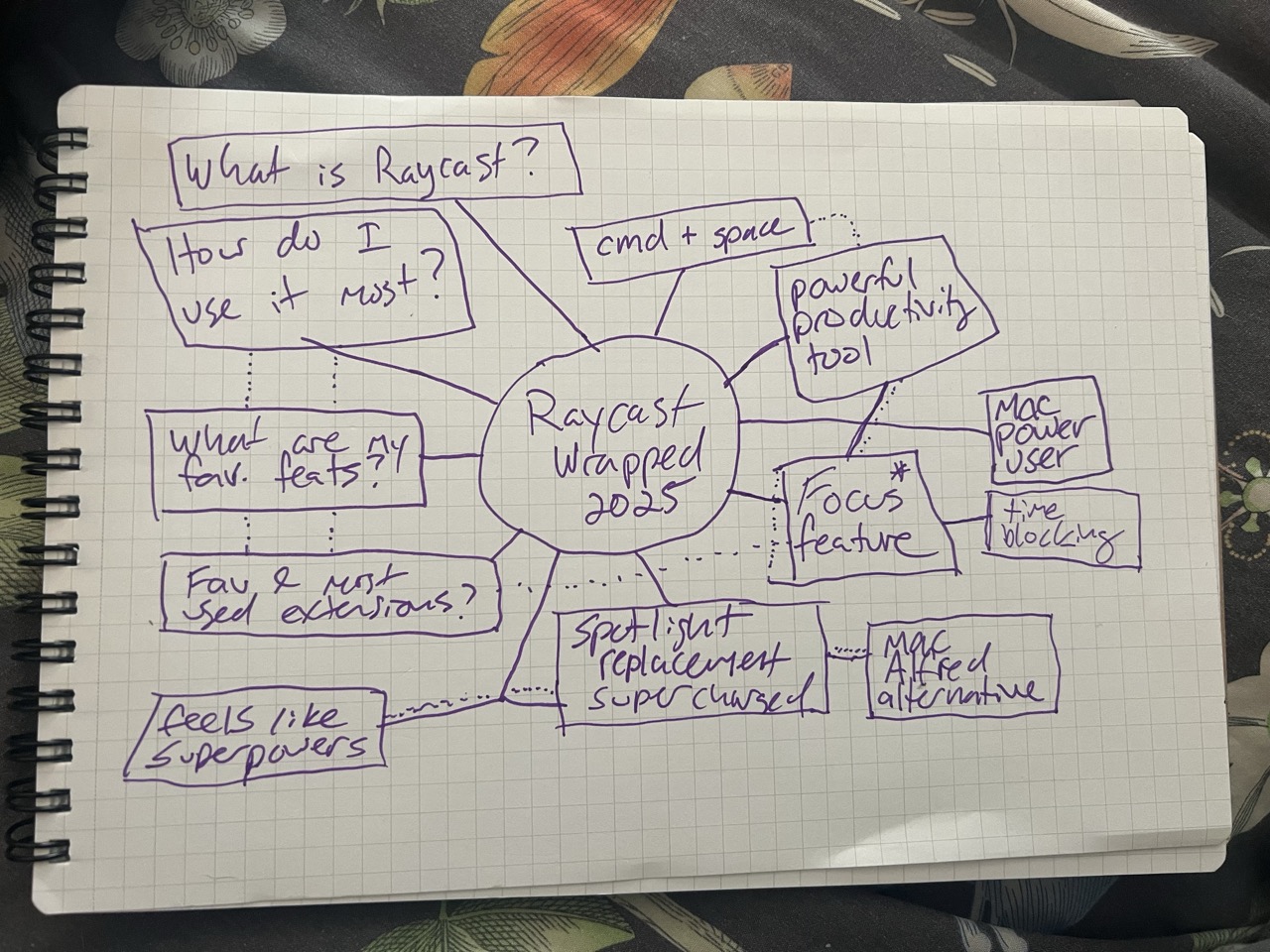 Raycast features I want to explore next
I subscribe to the Raycast YouTube channel to keep learning. Lots of helpful tips there.
Planning to do this reflection annually—no promises, but that’s the goal.
If you’re still relying on default tools like Spotlight or the Windows search bar, you’re leaving productivity on the table.
This isn’t about finding “the one right way”—it’s about recognizing when something fundamentally changes how you work.
For me, that’s Raycast. It might be for you too.